PDF Translator
Extract selectable text from PDF files locally, keep page grouping in the text output, then send up to 500-character parts to AI for translated TXT download.
Examples
Extracted selectable text uses page grouping; translation runs in up to 500-character parts. These short Spanish outputs are illustrative.
English
Hello, world!
Translation
Hola, mundo.
Greeting line from a selectable PDF.
English
Page 1: Project overview
Translation
Página 1: Resumen del proyecto
Heading extracted with page grouping.
English
The meeting starts at 9:00 AM.
Translation
La reunión comienza a las 9:00 a. m.
Schedule sentence from a selectable PDF.
English
Please review the attached report.
Translation
Por favor, revise el informe adjunto.
Instruction line from a selectable PDF.
English
Total: 42 items
Translation
Total: 42 artículos
Short data line from a selectable PDF.
English
Thank you for your help.
Translation
Gracias por su ayuda.
Closing sentence from a selectable PDF.
Understand this tool
Selectable PDF text
A PDF may contain real text characters or only page images. This tool extracts the selectable text layer. If a page is a scan, it has no selectable text for this extractor, so OCR must be done with a separate OCR tool before translation.
Page grouping in TXT
When text is extracted, the tool preserves page grouping instead of flattening every page into one block. The translated download is still plain TXT, so fonts, columns, images, and exact visual placement from the original PDF are not guaranteed.
Reference guide
| Input | Rule | Result |
|---|---|---|
| Selectable PDF, 10 pages | Extract locally with page grouping | Grouped text ready to translate |
| Scanned PDF page | No selectable text layer | Use OCR elsewhere |
| PDF over 50 pages | PDF max 50 pages | Split or reduce the file |
PDF text extraction and page grouping
The tool reads selectable text from a PDF locally. It keeps page grouping in the extracted text output. Scanned pages without selectable text are not OCRed here. Translation text is limited to 20,000 characters, PDFs to 50 pages, and files to 5 MB.
AI translation limits and output
AI translation requires sign-in and uses at most 500-character parts. Each successful request consumes one daily free translation or 1 credit. The request count is shown before you start. Output is translated TXT, not an original-layout PDF. Stop and resume is available within the session.
| Input | Rule | Result |
|---|---|---|
| Text under 500 characters | One AI request per part | Counts toward daily free/credit |
| Text over 500 characters | Split into parts up to 500 characters | Multiple requests shown first |
| Need exact PDF layout | TXT output only | Layout is not preserved |
Ways to use this tool
Translate selectable PDF notes
If you have lecture notes, meeting minutes, or research summaries saved as PDFs with selectable text, you can extract them locally and translate up to 20,000 characters. The tool outputs TXT, so you can copy or download the translated text and keep page labels for reference.
Prepare short PDF passages for review
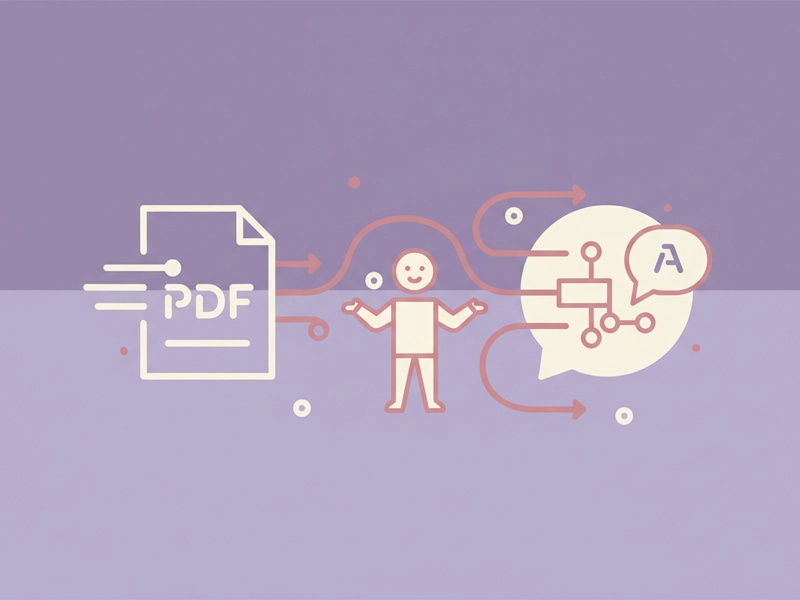
For a short article, form, or policy excerpt under 50 pages, choose the PDF and inspect the extracted text before translating. The tool displays the request count because text is sent to AI in parts of up to 500 characters. Each successful request uses one daily free translation or 1 credit.
Create translated TXT for editing
When you only need editable translated text, this workflow avoids promising a rebuilt PDF layout. Extract selectable text, keep page grouping, translate within the character limit, then download TXT. You can paste the result into a document editor, spreadsheet, or translation memory tool for further formatting.
Pause and resume long text sessions
If a PDF contains several pages of selectable text, the tool can stop and resume within the session. This helps you manage long extracts, especially when text is split into multiple AI requests. Files must stay within 5 MB, PDFs within 50 pages, and translation text within 20,000 characters.
What you can do
Explore the PDF Translator features and supported options.
Extract selectable PDF text locally
Choose a PDF up to 5 MB and 50 pages. The tool parses selectable text in your browser and preserves page grouping in the extracted text output. Scanned pages without a text layer need OCR elsewhere.
Translate in up to 500-character parts
After sign-in, extracted text is sent to DeepSeek in parts of at most 500 characters. The request count is shown before start. Each successful request consumes one daily free translation or 1 credit.
Download translated TXT
The result is translated plain text, not a rebuilt original-layout PDF. You can copy the output or download it as TXT. Page grouping from extraction remains visible in the text, while fonts, columns, and images are not preserved.
Manage long sessions
For multi-page selectable PDFs, use stop and resume within the session. Limits are 5 MB per file, 50 pages per PDF, and 20,000 translation characters. The tool shows request count before starting so you can plan requests.
Frequently asked questions
Related tools
Subtitle Translator
Accept SRT/VTT. Preserve timecodes, cue identifiers and markup. Translate cue text; offer original-format and bilingual downloads.
Image TranslatorAccept PNG/JPEG/WebP, run browser OCR for selected source language, review extracted text then translate; output text only, not edited images.
Word TranslatorAccept DOCX; translate paragraph text while preserving archive structure, tables and images. Complex run styling can consolidate into the first text run.
Excel TranslatorAccept XLSX; translate shared and inline strings. Preserve formulas, numbers and archive structure. All text cells in all sheets; no macros.
How to use this tool
Step 1: Choose a selectable PDF
Select a PDF up to 5 MB and 50 pages that contains selectable text. The tool parses the file locally in your browser and groups extracted text by page. If the PDF is scanned, use OCR elsewhere first.
Step 2: Review extracted text and request count
Check the extracted text for the character limit of 20,000. After sign-in, the tool shows how many AI requests are needed because text is sent to DeepSeek in parts of up to 500 characters. You can stop or resume within the session.
Step 3: Translate and download TXT
Start translation and wait for the result. Each successful request uses one daily free translation or 1 credit. The output is translated TXT, not an original-layout PDF. Use copy or download to save the translated text.
Try this tool
Extract selectable PDF text locally, review the request count, and translate into downloadable TXT within stated limits.