Explore Bounded Rune and Latin-Script Drafts
Choose English to Runes for a runic draft or Runes to English for a cautious Latin-script reading. Check the letter choices, word boundaries, and historical context before treating either result as an inscription reading.
English
0 / 500
Runes
The AI rune draft will appear here...
Elder Futhark Prompt-Map Examples
These editorial examples are reference pairs from the route's visible mapping, not live output from the provider. A generated draft can choose different phonetic approximations or separators.
English
F
Translation
ᚠ
Latin F paired with the Fehu rune
English
U
Translation
ᚢ
Latin U paired with the Uruz rune
English
TH
Translation
ᚦ
Latin TH paired with the Thurisaz rune
English
RUNE
Translation
ᚱᚢᚾᛖ
Modern English letters rendered with prompt-map runes
English
SUN
Translation
ᛊᚢᚾ
A short modern word rendered rune by rune
English
F U
Translation
ᚠ᛫ᚢ
Two rune groups separated by runic punctuation
Read the Prompt Mapping as a Draft Key
| Latin input | Prompt rune | Prompt reading |
|---|---|---|
| F | ᚠ | F |
| U | ᚢ | U |
| TH | ᚦ | TH |
| A | ᚨ | A |
| R | ᚱ | R |
| K or C | ᚲ | K or C |
Selected Elder Futhark Pairs
These pairs come from the current route prompt and help with visual review. They do not define historical spelling for a complete language.
Prompt Rules That Need Review
The generator prompt includes approximation choices that can affect the displayed draft.
| Prompt behavior | Possible effect | Review point |
|---|---|---|
| closest phonetic match | one sound may have several choices | compare the intended pronunciation |
| double letters may collapse | modern spelling may not remain visible | check repeated consonants |
| ᛫ between words | spacing becomes runic punctuation | check each word boundary |
| modern English input | the language remains modern English | do not infer historical grammar |
Boundaries to Check in a Rune Draft
The Reachable Default Is Elder Futhark
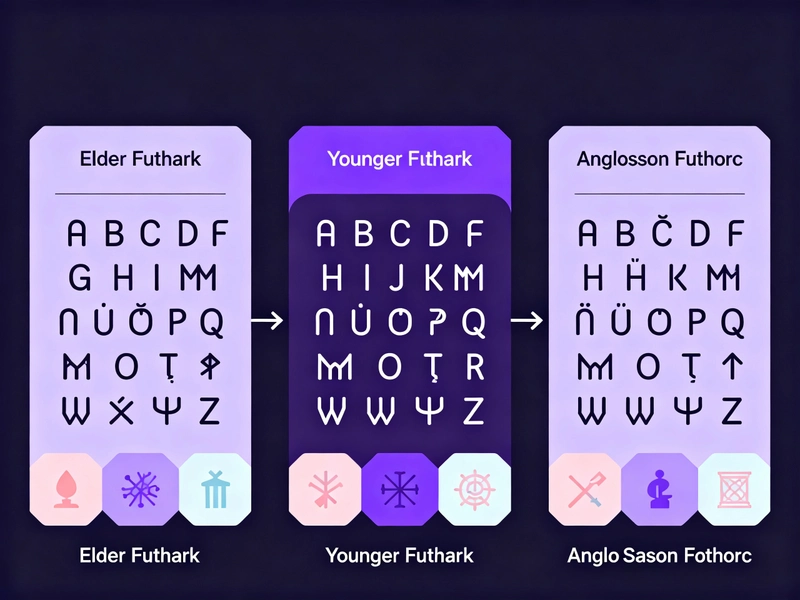
The shared API contains three rune-type values, but this component sends none and offers no rune type selector. Every visible request therefore uses the Elder Futhark default.
Transliteration Is Not Meaning Translation
Rendering the letters or sounds of a modern English word in runes does not turn that word into Old Norse or another historical language. Meaning, grammar, and period vocabulary are separate questions.
Creative Use Needs a Clear Label
Runes can be used in fictional maps, props, or game notes, but a modern prompt-map rendering should be labeled as a creative draft rather than a recovered historical inscription.

Permanent Designs Need Independent Review
For a permanent inscription, verify the target language, period, rune row, spelling convention, and word separators with specialist reference material outside this tool.
Current Rune Tool Boundaries
These points describe the deployed component and shared route.
DeepSeek AI Draft
queuedGeminiFetch converts the compatibility payload into a DeepSeek chat-completions request. The result can vary because it is generated rather than read from a fixed character table.
Elder Futhark Default
The component does not send runeType, so the API selects elder-futhark. Younger Futhark and Anglo-Saxon values in the shared route are not selectable here.
Both Direction Aliases Are Recognized
The component's english-to-rune value resolves to to-runes, and rune-to-english resolves to to-english in the shared route.
Rendered Output Only
The API can return a transliteration field, but the page displays only translated or result. It has no separate breakdown panel.
Questions about the Rune Draft
Answers based on the current component, route, and prompt mapping.
Explore More Translator Tools
Check out these related translation and AI tools to enhance your experience
How to Use the Current Rune Tool
The visible component accepts one input of up to 500 characters and provides direction, copy, and reset controls.
Step 1: Enter a Short Modern Sample
Type a short word or phrase and keep the input within 500 characters. Short samples make rune-by-rune review easier.
Step 2: Choose the Direction
The reverse control sends rune-to-english. The shared route now recognizes that alias as to-english, while the forward value resolves to to-runes.
Step 3: Generate and Inspect
Translate calls /api/rune-translator, Copy uses the displayed result, and Reset clears the fields. The component has no script selector and does not display the API's transliteration breakdown.
Generate an Elder Futhark-Style Draft
Enter up to 500 characters, choose a direction, and review the resulting script, spelling, and historical boundaries.